Semantic Caching for LLM Apps
On this page
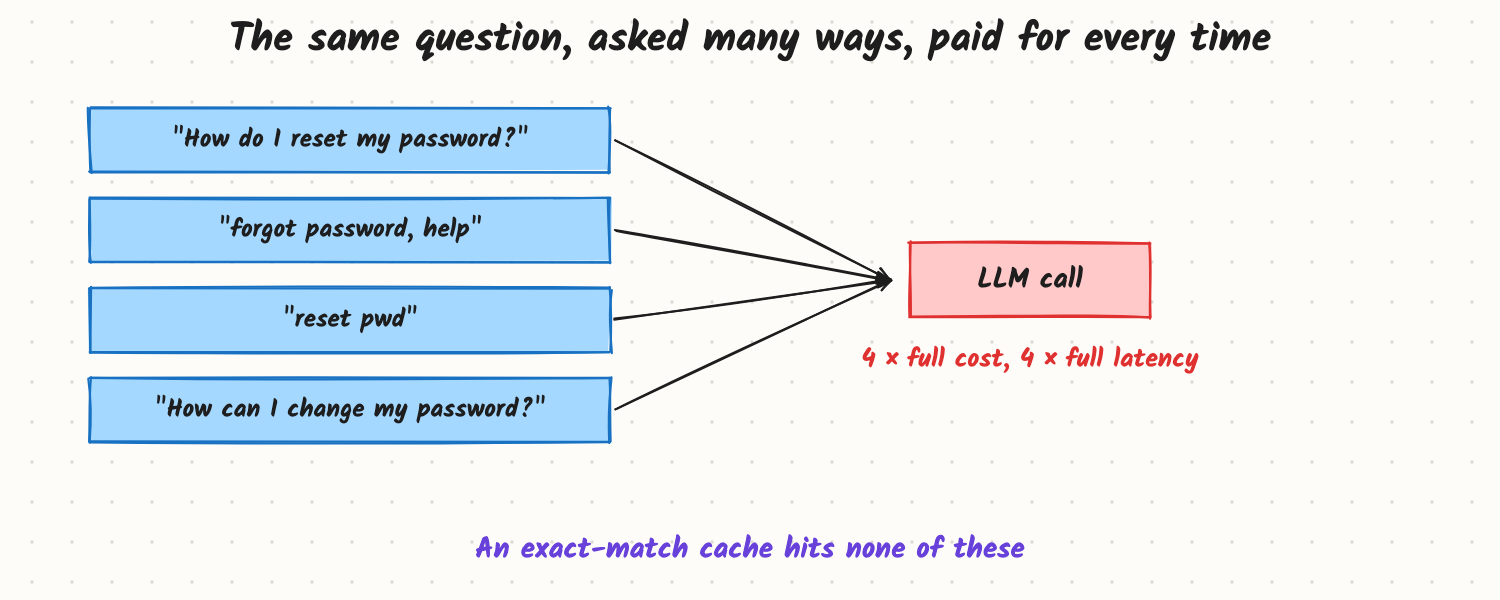
A help assistant's logs show the same few questions again and again: "How do I reset my password?", "forgot password, help", "reset pwd". Each one costs a full model call and two seconds of waiting. A normal cache keyed on the exact text catches almost none of them, because people never type the same thing twice. Semantic caching looks up past answers by meaning instead of by exact text.
How it works
The lookup
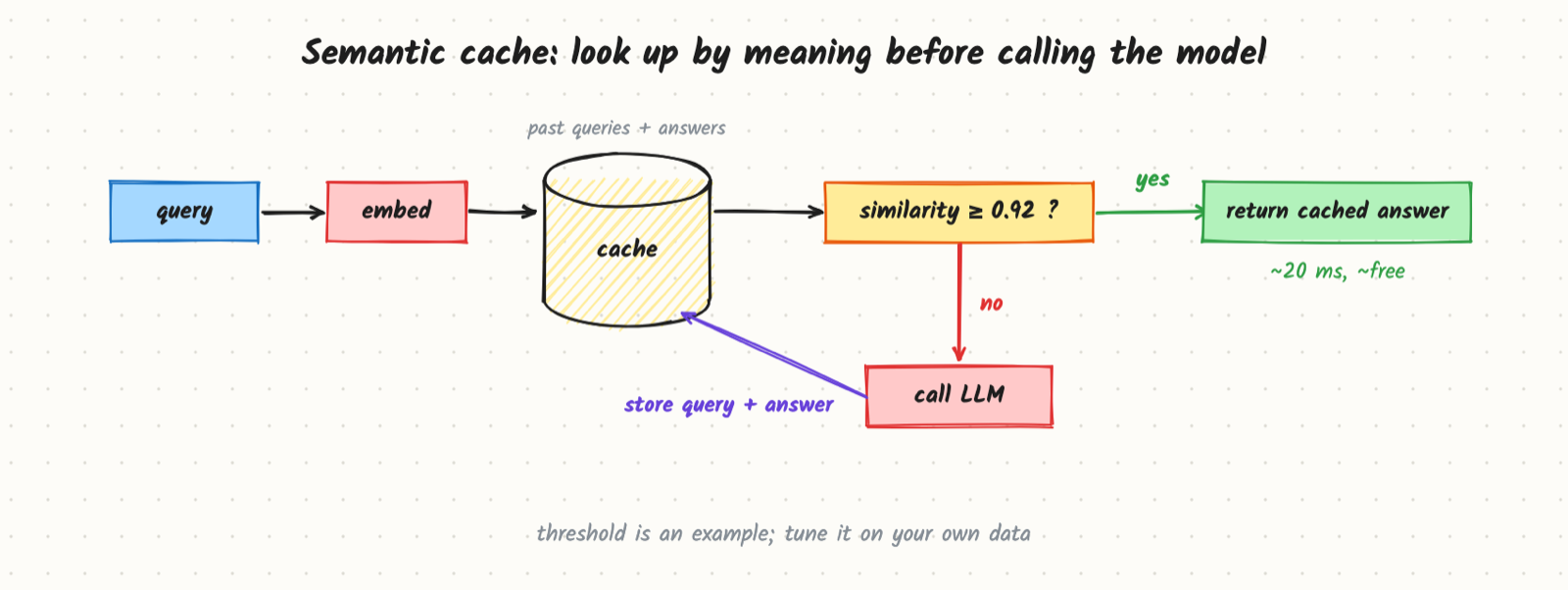
- Embed the incoming query.
- Search the cache (a vector index of past queries) for the nearest stored query.
- If similarity is above a threshold, return the stored answer: a few milliseconds of retrieval, almost no cost.
- Otherwise call the model, return its answer, and store the query embedding and answer for next time, with a time-to-live (TTL).
Choosing the threshold
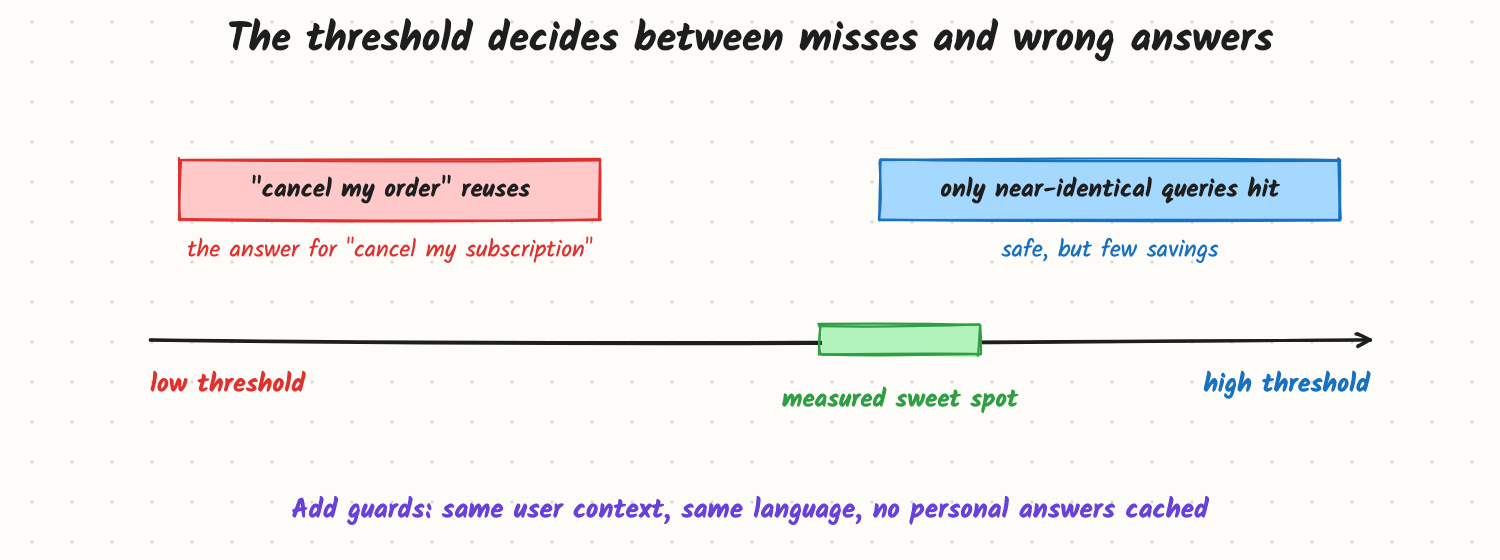
Too low, and "cancel my order" gets the answer cached for "cancel my subscription", which is wrong in a way users notice. Too high, and only near-identical queries hit. Tune on your own data: take pairs of real queries, label whether they should share an answer, and pick the threshold that keeps wrong reuses near zero at an acceptable hit rate. Thresholds don't transfer between embedding models.
Guards that make it safe
- Scope the cache key. Include anything that changes the right answer: product, language, user plan, region, and the prompt and model version. Two identical questions in different contexts are different cache entries.
- Never cache personal answers ("what's my order status?") across users. Either skip caching for personalised intents or keep a per-user cache.
- Expire entries when the underlying content changes (TTL plus invalidation when documents update).
- Optionally verify: a cheap check (a small model or rules) confirms the cached answer fits the new query before returning it.
Other caches worth knowing
- Exact-match cache: hash of the full prompt, for repeated identical requests (common in batch jobs and retries). Cheap and safe.
- Prefix (prompt) caching: done by the model server or provider; reuses the computation for a shared prompt prefix (system prompt, tools, documents). It doesn't skip the call but makes it faster and cheaper (see Prefix Caching).
- Retrieval cache: caching search results for popular queries in RAG.
Trade-offs and costs
| Exact cache | Semantic cache | |
|---|---|---|
| Hit rate | Low for chat | Higher |
| Risk of wrong answer | None | Real; needs tuning and guards |
| Cost per lookup | Hash lookup | Embedding + vector search |
- Answers become less varied and slightly stale; fine for FAQs, bad for creative or time-sensitive tasks.
- Storage grows with traffic; cap size and evict least-used entries.
- Embedding every query adds a few milliseconds to tens of milliseconds even on a miss.
In production
- Measure hit rate, latency saved, cost saved and, most importantly, wrong-hit rate from sampled hits reviewed by a judge or people.
- Kill switch: be able to disable or flush the cache instantly after a bad answer gets cached.
- Version entries with prompt and model version so a prompt change doesn't serve old-style answers.
- Failure modes: a wrong answer cached and served thousands of times; personal data leaking through a shared cache; stale answers after a policy change.
When to reach for it
High-volume, repetitive, non-personal questions: FAQs, documentation help, product information, common support intents. Avoid it for personalised, creative, multi-turn context-dependent or fast-changing answers.
Example
Assume a support assistant gets 1 million questions a day at about $0.004 per model call. On a sample of labelled query pairs, a threshold of 0.92 (for their embedding model) gives a 30% hit rate with wrong reuses below 0.2% of hits. Savings: 300,000 calls × $0.004 ≈ $1,200 a day, and those users get answers in about 50 ms instead of about 2 s. Account- and order-related intents are excluded by a classifier, and cache entries are tagged with the help-centre article IDs they came from, so updating an article flushes them.
Common mistakes
- Copying a threshold from a blog post instead of tuning on your own labelled pairs.
- Caching personalised answers in a shared cache.
- No invalidation when the source content changes.
- Leaving out context (language, product, prompt version) from the cache key.
- Only tracking hit rate, not wrong-hit rate.
Say this in the interview
"A semantic cache embeds each query, looks up the nearest past query, and returns its answer if similarity passes a tuned threshold; otherwise it calls the model and stores the result. The risk is reusing an answer for a query that looks similar but means something different, so I'd tune the threshold on labelled pairs, scope the key by context and version, never share personal answers, expire entries when content changes, and track wrong-hit rate alongside savings."
Interview questions on this
- How is a semantic cache different from prefix caching? Semantic caching skips the model call for similar queries; prefix caching speeds up calls that share the same prompt start.
- How do you choose the threshold? Label real query pairs as same/different answer and pick the threshold that keeps wrong reuses near zero at a useful hit rate.
- What must never be in a shared semantic cache? Personalised or private answers.
- How do you invalidate entries? TTL plus tags linking entries to source documents, flushed when those change.
- What metrics would you track? Hit rate, wrong-hit rate, latency and cost saved, cache size.
Used in
- AI Engineering: Embeddings; Vector Search; Prefix Caching; How Would You Cut LLM Cost by 10x?; Token Rate Limits and Quotas.
- AI System Design: Token rate limits and caching; Design an LLM Gateway.