Prompt Engineering for Production
On this page
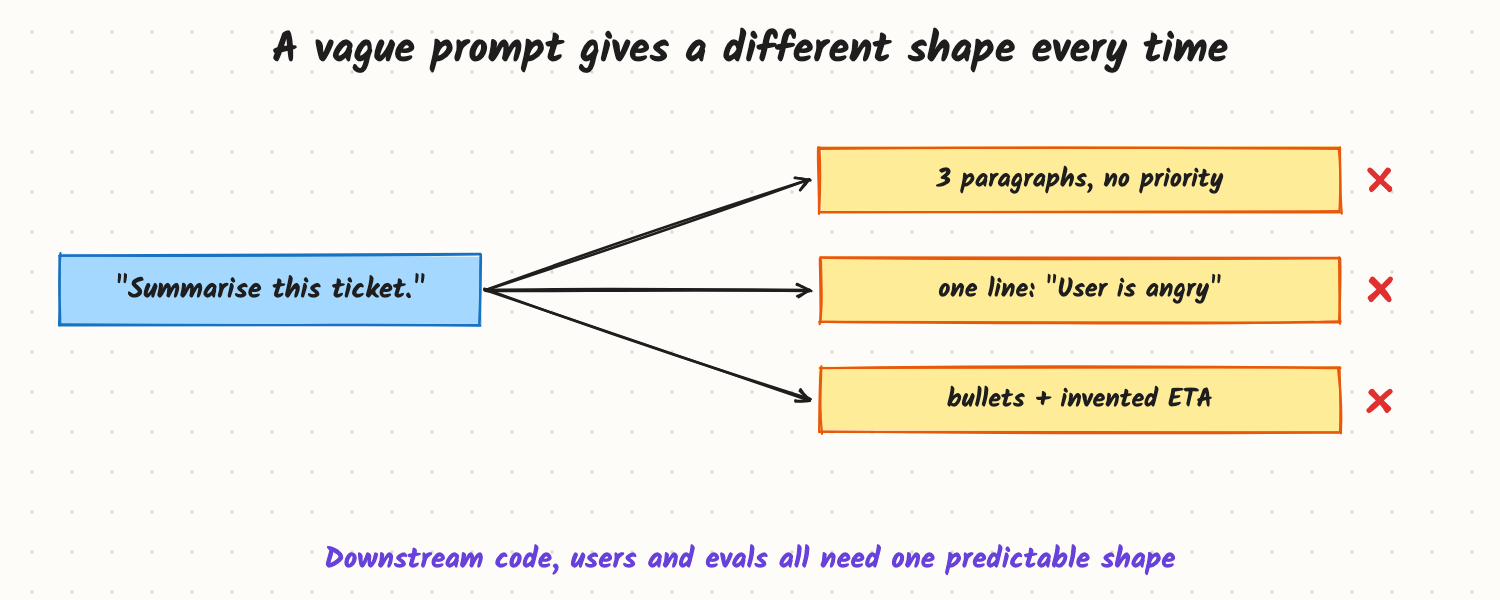
A team adds "Summarise this ticket" to their support tool. Monday's summaries are three paragraphs; Tuesday's are one line; some invent a delivery date. The dashboard that parses them breaks, agents stop trusting them, and nobody can say whether last week's prompt change helped. The model didn't get worse. The prompt never said what a good summary is. Production prompt engineering is writing an exact specification and testing it like code, not finding magic words.
How it works
Write the prompt as a spec
A production prompt has a few predictable parts. Keeping them in a fixed order makes prompts easier to review and lets the stable part be cached.
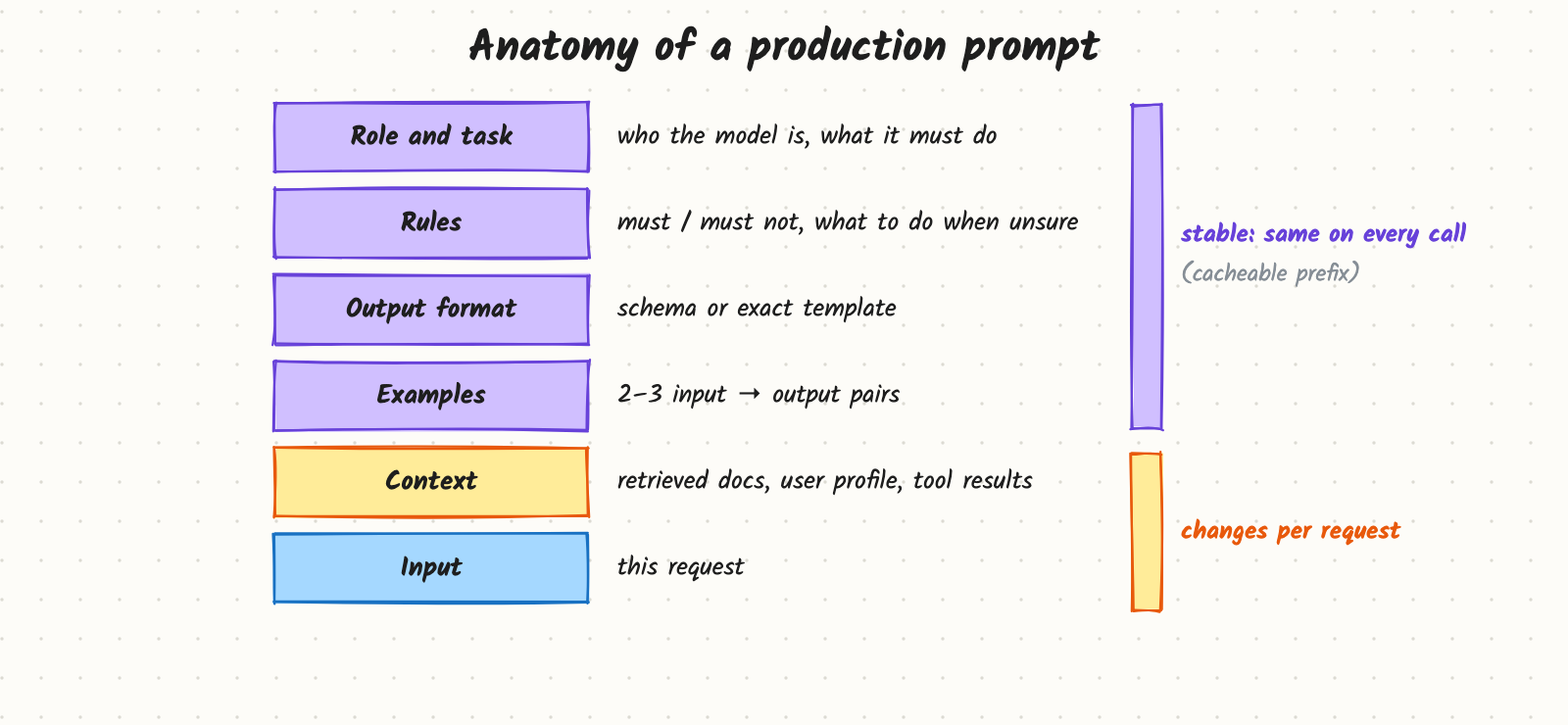
- Role and task. One or two sentences: who the model is acting as and the job. "You summarise customer support tickets for on-call engineers."
- Rules. What it must and must not do, including what to do when unsure. "If the ticket does not state a deadline, write 'none stated'. Never guess dates."
- Output format. An exact template or JSON schema (see Structured Output). Name every field and its allowed values.
- Examples (few-shot). Two or three input → output pairs that show tricky cases, not easy ones. Examples teach format and judgment faster than more rules.
- Context. Retrieved documents, user profile, tool results, clearly marked with delimiters (for example XML-style tags) so the model can tell instructions from data.
- Input. The request itself.
Techniques that reliably help
- Be specific about the audience and length ("3 bullets, each under 15 words, for an engineer").
- Give permission to abstain: a defined output for "not enough information" cuts made-up answers.
- Ask for reasoning when the task needs it (multi-step maths, classification with edge cases), but keep it out of the user-facing output, or use a model with built-in reasoning.
- Split big tasks into a chain of smaller calls (extract → classify → write) when one prompt tries to do too much; each step becomes testable.
- Put the most important instruction where it's seen: clearly at the start, and repeat a critical constraint near the end of long prompts.
Test it like code
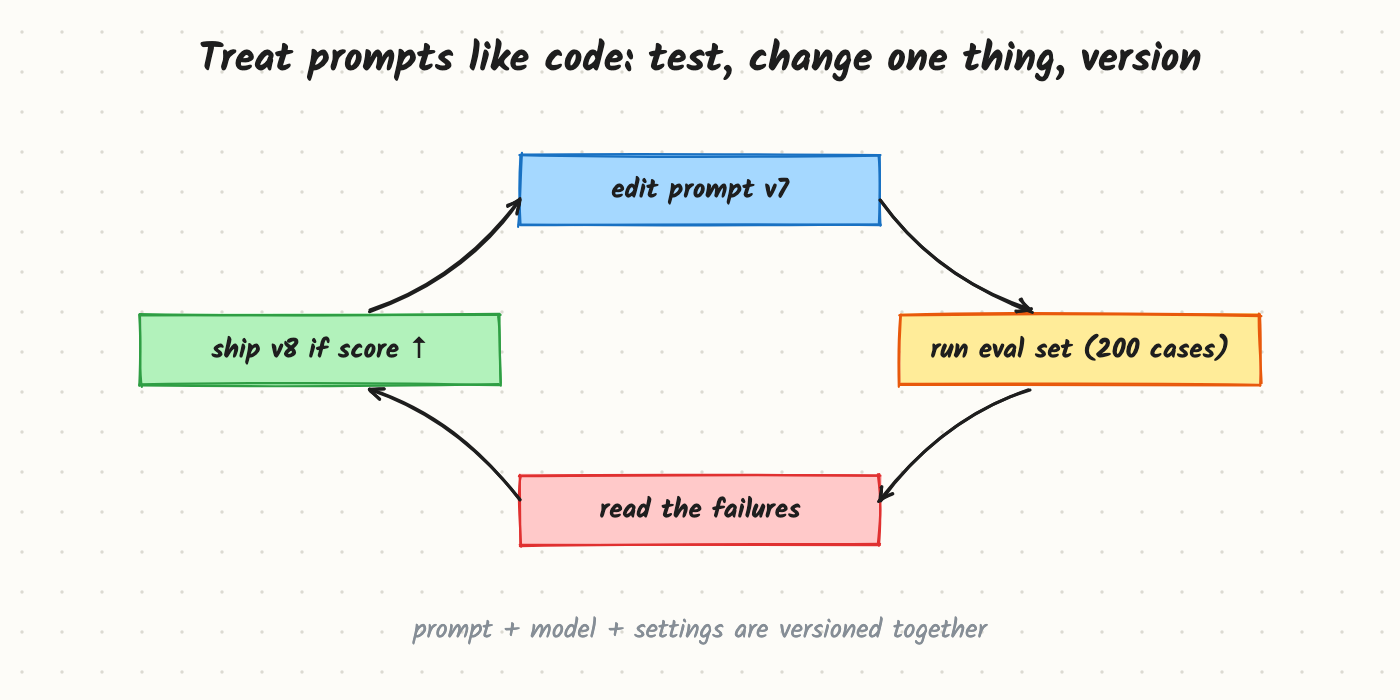
Keep an eval set of real inputs (start with 50–200, include the nasty ones) and expected properties of the output. Change one thing at a time, run the set, read the failures, and ship only when the score improves without new regressions. Store the prompt in version control together with the model name and settings it was tested with.
Trade-offs and costs
- Longer prompts cost more on every call, and add latency. Examples are the most expensive part; keep the ones that fix real failures.
- More rules can conflict. Twenty "never" rules produce stiff, over-cautious output. Prefer examples and a clear goal.
- Prompts are model-specific. A prompt tuned for one model may get worse on another; re-run evals when switching.
- Prompting vs fine-tuning. Prompting is fast to change and needs no training data; fine-tuning wins when you need a consistent style at high volume with shorter prompts (see Fine-tune, RAG or Prompt?).
In production
- Latency and cost: cache the stable prefix (many providers discount it); trim examples; set max output tokens.
- Versioning: every response logs the prompt version, so you can trace a bad answer to the change that caused it (see Versioning Prompts and Models).
- Security: user input and retrieved text are untrusted; delimit them and never let them override system rules (see Prompt Injection and Guardrails).
- Failure modes: format drift after a model upgrade; instructions ignored in very long prompts; examples copied too literally (the model reuses an example's names or numbers).
When to reach for it
Always first. Most quality problems in LLM features are fixed by a clearer spec, better examples and an eval set, before RAG or fine-tuning is needed.
Example
The ticket summariser's prompt went from one line to: a role sentence; four rules (no guessed dates; "none stated" when missing; priority from a fixed list; no customer personal data); a format of exactly three labelled lines (Problem, Impact, Priority); and three examples, including an angry ticket with no real problem and a ticket in Spanish. On a 150-ticket eval set, format compliance went from about 60% to 99% and invented dates went to zero. The prompt is about 900 tokens and identical on every call, so prefix caching makes it cheap.
Common mistakes
- Tweaking by feel without an eval set, then not knowing whether a change helped.
- Easy examples only; examples should cover the cases the model gets wrong.
- Mixing instructions and data without delimiters, inviting injection and confusion.
- Changing several things at once.
- Putting variable content (dates, IDs) at the top, which breaks prefix caching.
Say this in the interview
"I treat a prompt as a spec: role and task, rules including what to do when unsure, an exact output format, a few examples of hard cases, then delimited context and the input. Stable parts go first for caching. I keep an eval set of real inputs, change one thing at a time, version the prompt with the model and settings, and only ship when the score improves without regressions."
Interview questions on this
- How do you know a prompt change is an improvement? Run it on a fixed eval set and compare scores and failure cases against the previous version.
- When do few-shot examples help most? For format and judgment calls on edge cases; pick examples from real failures.
- How do you stop the model from guessing? Define an explicit "not enough information" output and reward it in evals.
- One big prompt or a chain? Chain when steps are distinct and testable; one prompt when latency matters and the task is simple.
- What breaks when you switch models? Format compliance and subtle behaviours; re-run the eval set before switching.
Used in
- AI Engineering: Structured Output; Evals and LLM-as-Judge; Prompt Injection and Guardrails; How Do You Ship a Prompt Change Safely?; Versioning Prompts and Models.
- AI System Design: Design a Prompt Playground; Design ChatGPT.