API Gateway

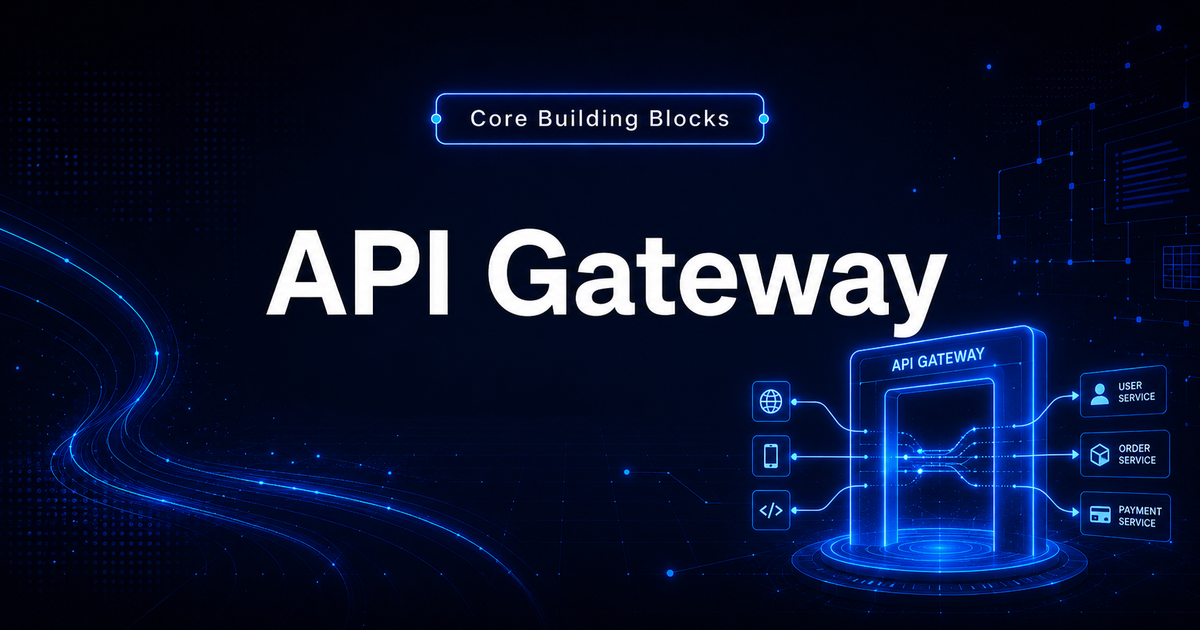
An API Gateway is the front door of a backend system.
It gives clients one entry point and handles common tasks like routing, authentication, rate limiting, and request shaping.
What an API Gateway does
In a simple system, the client may call one backend service directly.
Client → Backend Service
In a larger system, there may be many services.
User Service
Order Service
Payment Service
Notification Service
Search Service
An API Gateway sits in front of these services.
Client → API Gateway → Internal Services
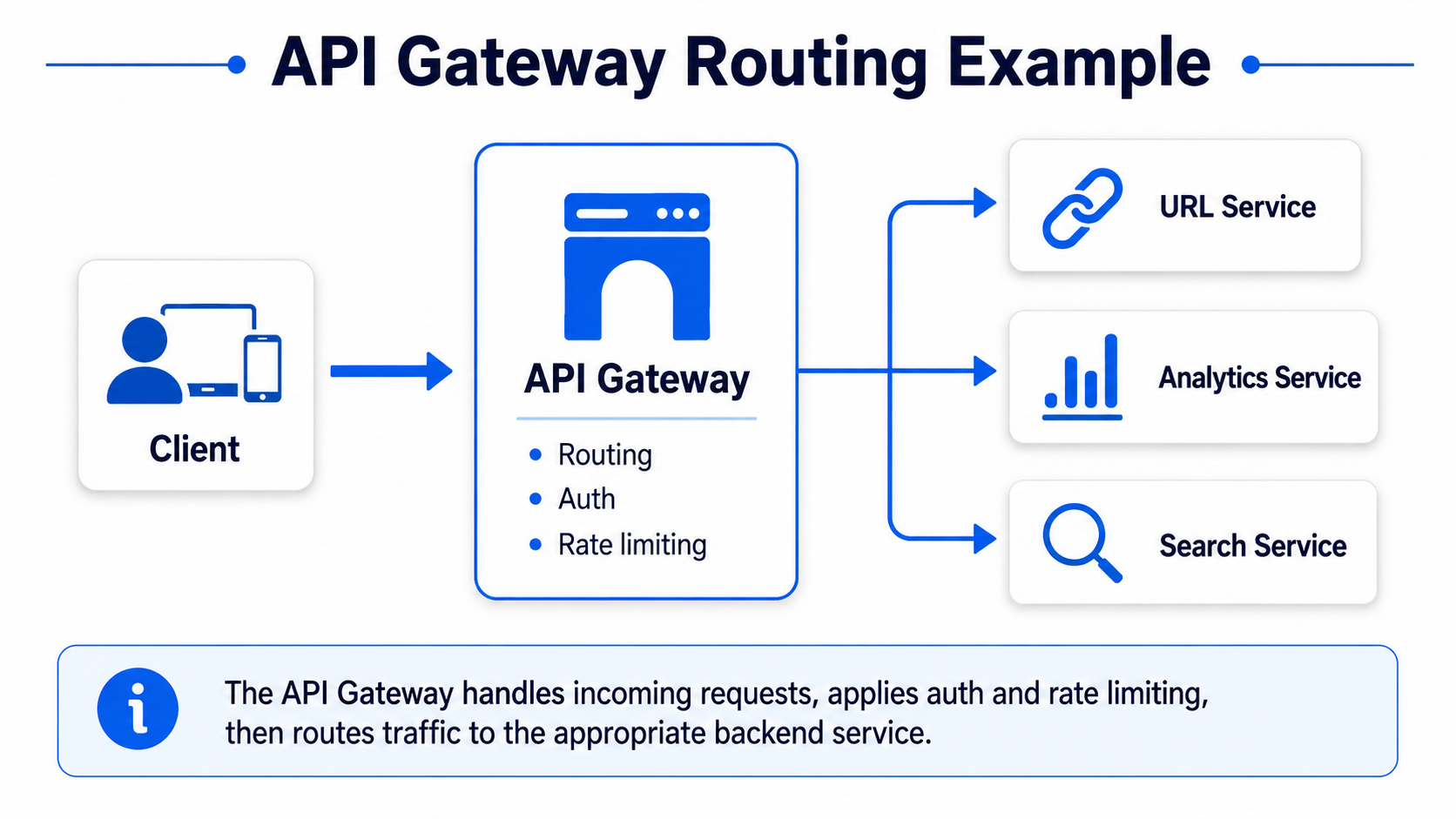
It gives the client one clean entry point.
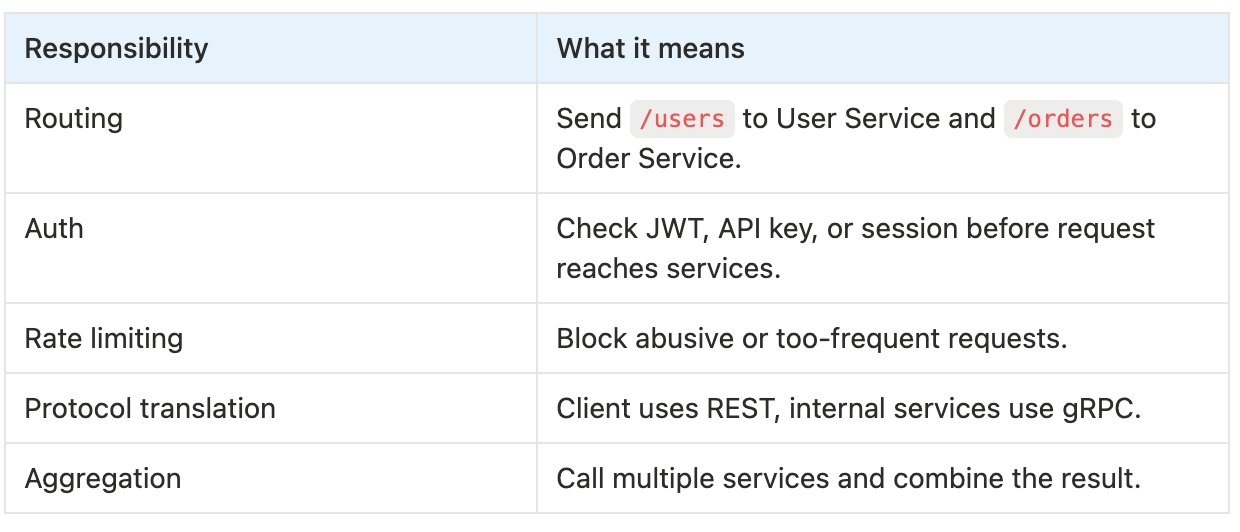
Common responsibilities
An API Gateway may handle:
- routing,
- authentication,
- authorization,
- rate limiting,
- request validation,
- protocol translation,
- response aggregation,
- logging and metrics.
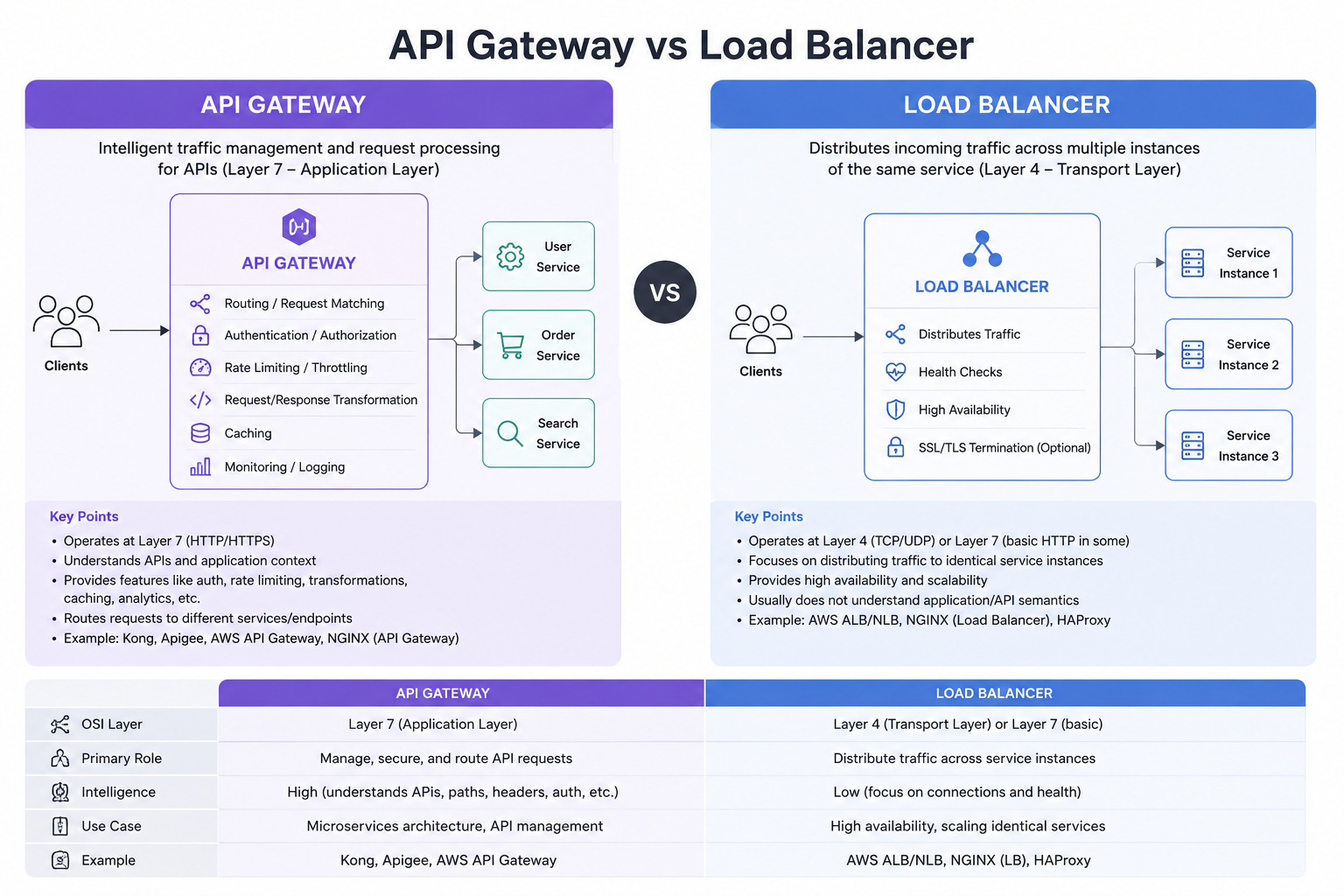
API Gateway vs Load Balancer
These two are related but not the same.
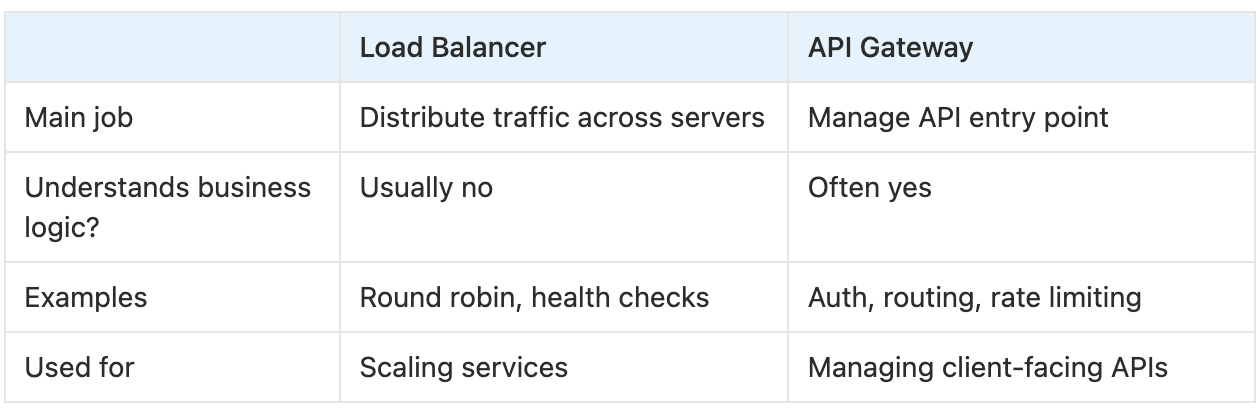
A simple way to say it:
A load balancer decides which server instance gets the request. An API Gateway decides which service or API should handle the request, and may also apply auth and rate limits.
When to use API Gateway
Good interview signals:
- many backend services,
- mobile or web clients need one entry point,
- centralized authentication,
- rate limiting at the edge,
- different clients need different responses,
- internal services should not be exposed directly.
Examples:
- e-commerce app,
- food delivery app,
- ride sharing app,
- banking app,
- API platform,
- microservice architecture.
URL Shortener example
For a URL shortener, the API Gateway can route requests:
POST /urls        → URL Creation Service
GET /{short_code} → Redirect Service
GET /analytics    → Analytics Service
It can also handle:
- user authentication for URL creation,
- rate limiting to prevent abuse,
- logging request metadata,
- routing public redirect traffic separately from user dashboard traffic.
A good answer:
I would place an API Gateway in front of the services to handle routing, authentication for user actions, and rate limiting to protect the URL creation endpoint from abuse.
Rate limiting at the gateway
Rate limiting is often implemented at the API Gateway layer.
Example:
100 requests per minute per user
1000 requests per minute per IP
If a user exceeds the limit, return:
HTTP 429 Too Many Requests
A common algorithm is token bucket.
Simple explanation:
Each user has a bucket of tokens. Each request spends one token. Tokens refill over time. If the bucket is empty, the request is rejected.
Common tradeoffs
API Gateway is useful, but it can become a bottleneck.
Tradeoffs:
- adds one more network hop,
- can become a single point of failure if not replicated,
- may become too complex if too much business logic is added,
- must be highly available,
- needs monitoring and rate limit tuning.
Common mistakes
- Confusing API Gateway with Load Balancer.
- Putting too much business logic in the gateway.
- Forgetting high availability for the gateway.
- Adding gateway when the system has only one simple service.
- Not explaining what the gateway actually does.
Final takeaway
Use an API Gateway when clients need a single, controlled entry point into many backend services.
A strong answer is:
I would use an API Gateway for routing, authentication, and rate limiting. Behind it, each service can still be horizontally scaled with load balancers.