Message Queue

A message queue helps you move slow or unreliable work out of the main request path.
In interviews, it is one of the clearest ways to improve latency, reliability, and system flexibility.
What a message queue does
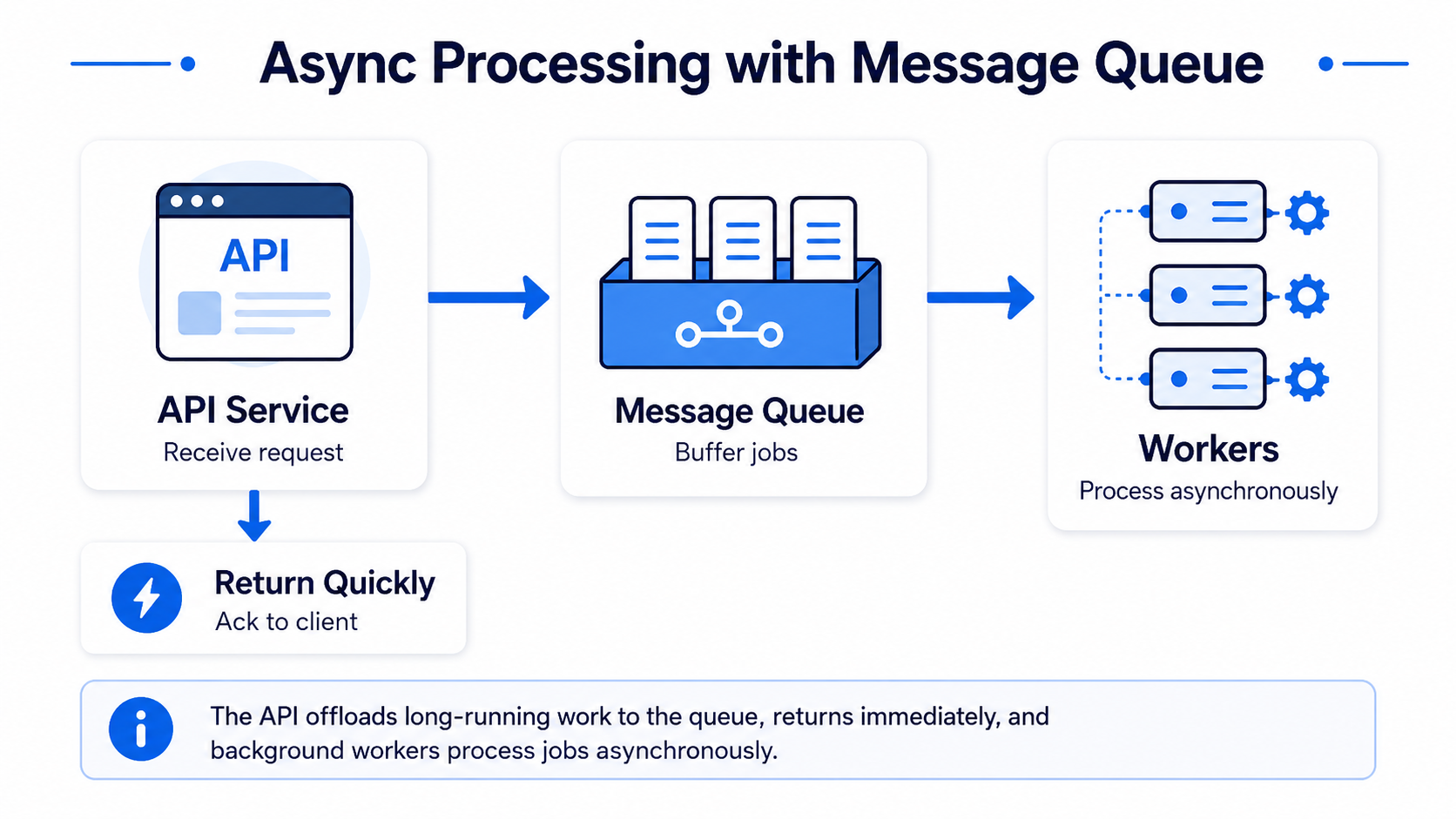
A message queue lets one service send a task or event to another service asynchronously.
Instead of doing all work immediately, the system places a message into a queue.
Producer → Message Queue → Consumer
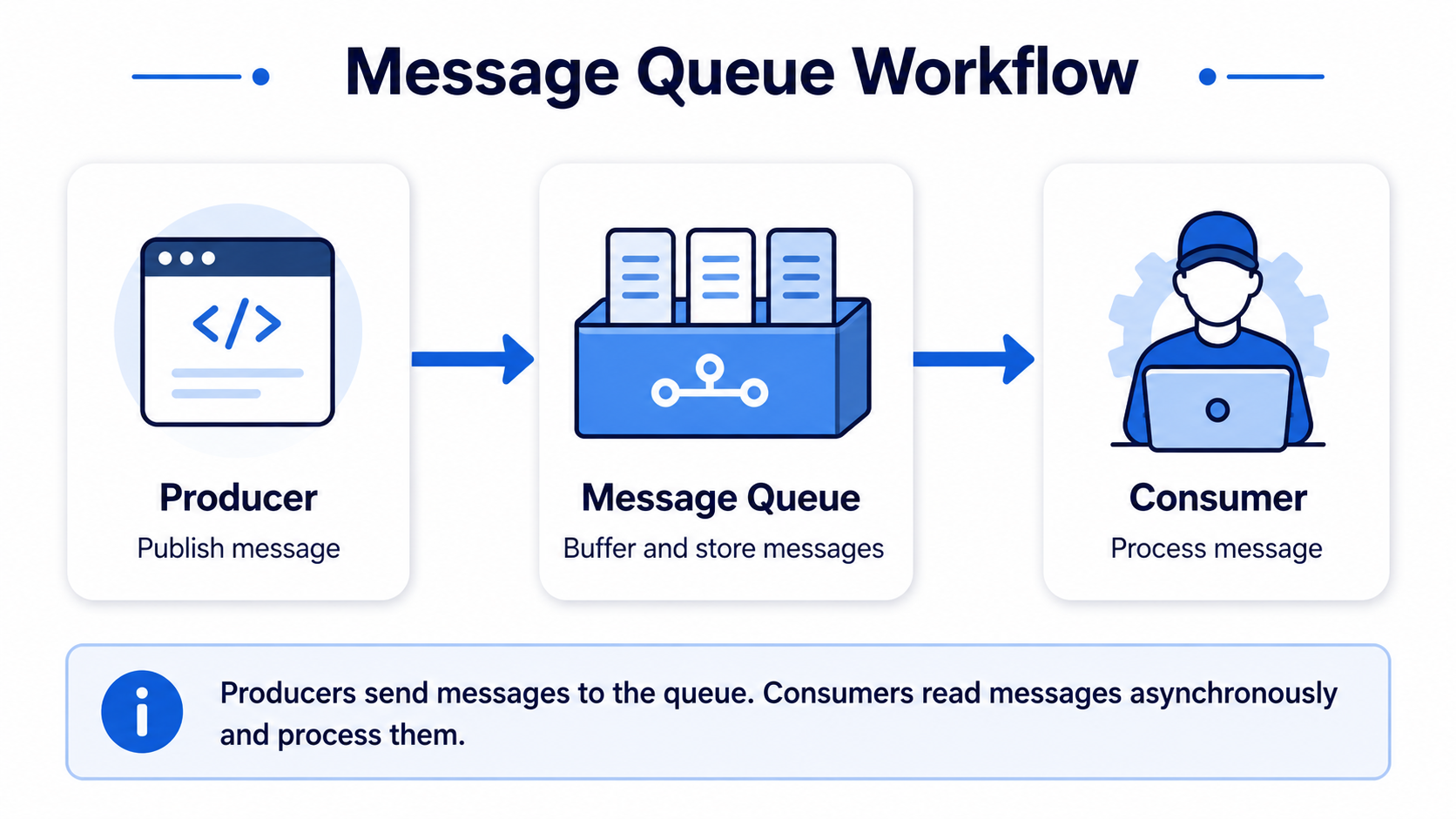
The producer can return quickly. The consumer processes the work later.
Why message queues are useful
Message queues help with three common problems.
1. Async processing
Some work is slow.
Examples:
- sending emails,
- generating reports,
- processing videos,
- building thumbnails,
- aggregating analytics.
You do not want the user to wait for all of this.
2. Decoupling
The producer does not need to know exactly who consumes the event.
Example:
New order event
→ payment service
→ inventory service
→ notification service
→ analytics service
Each service can scale and fail independently.
3. Backpressure
Traffic may arrive faster than workers can process it.
The queue acts as a buffer.
Instead of crashing the worker service, tasks wait in the queue.
When to use a message queue
Good interview signals:
- “This step takes 30 seconds.”
- “We need to send notifications later.”
- “Multiple services need the same event.”
- “Traffic is spiky.”
- “We need retries.”
- “The user should not wait for this work.”
- “Downstream service may be temporarily unavailable.”
Examples:
- video transcoding,
- email sending,
- click analytics,
- order processing,
- notification fanout,
- feed update pipeline,
- background report generation.
Kafka vs traditional queues
You do not always need to choose a specific product. But it helps to know the difference.

A safe interview phrase:
I would use a message queue here. Kafka would be a good fit if we need high-throughput event streaming and replay. For a simpler task queue, SQS or RabbitMQ would also work.
Common message queue patterns
Fanout
One event goes to multiple consumers.
Example:
New post event
→ update feed
→ send notification
→ update search index
→ record analytics
Retry
If processing fails, the message can be retried.
This improves reliability.
Dead letter queue
If a message keeps failing, send it to a separate queue for later investigation.
Idempotency
Messages may be delivered more than once.
Consumers should handle duplicates safely.
A useful phrase:
Since message delivery can be at-least-once, the consumer should be idempotent.
Common tradeoffs
Message queues are powerful, but they add complexity.
Tradeoffs:
- data becomes eventually consistent,
- debugging is harder,
- ordering may be limited,
- duplicate messages are possible,
- workers need monitoring,
- queues can grow during traffic spikes.
Common mistakes
- Adding a queue when the work must be synchronous.
- Forgetting retries and dead letter queues.
- Assuming messages are delivered exactly once.
- Ignoring idempotency.
- Not explaining what is produced and what is consumed.
Final takeaway
Use a message queue when work can happen later.
A strong answer is:
This work is not needed in the user-facing response, so I would publish an event to a queue and process it asynchronously. The tradeoff is eventual consistency, but the main request becomes faster and more reliable.